Every studio has the same problem with materials. The knowledge lives in three places at once — a sample drawer nobody catalogued, a rep’s email from eight months ago, and a shared drive of photographs named IMG_4471. When a project needs a finish, someone rebuilds that knowledge from scratch.
Q Arch Materials is an in-house tool built to fix that: one shared library the whole studio works from, where a material is a real record rather than a photo in a folder. It is built in Fuser Studio and presented as a retro desktop workspace — each panel is a .SYS window, the ground is graph paper, and the whole thing runs equally on a phone so a material can be added from a showroom floor. This is version 2.0.
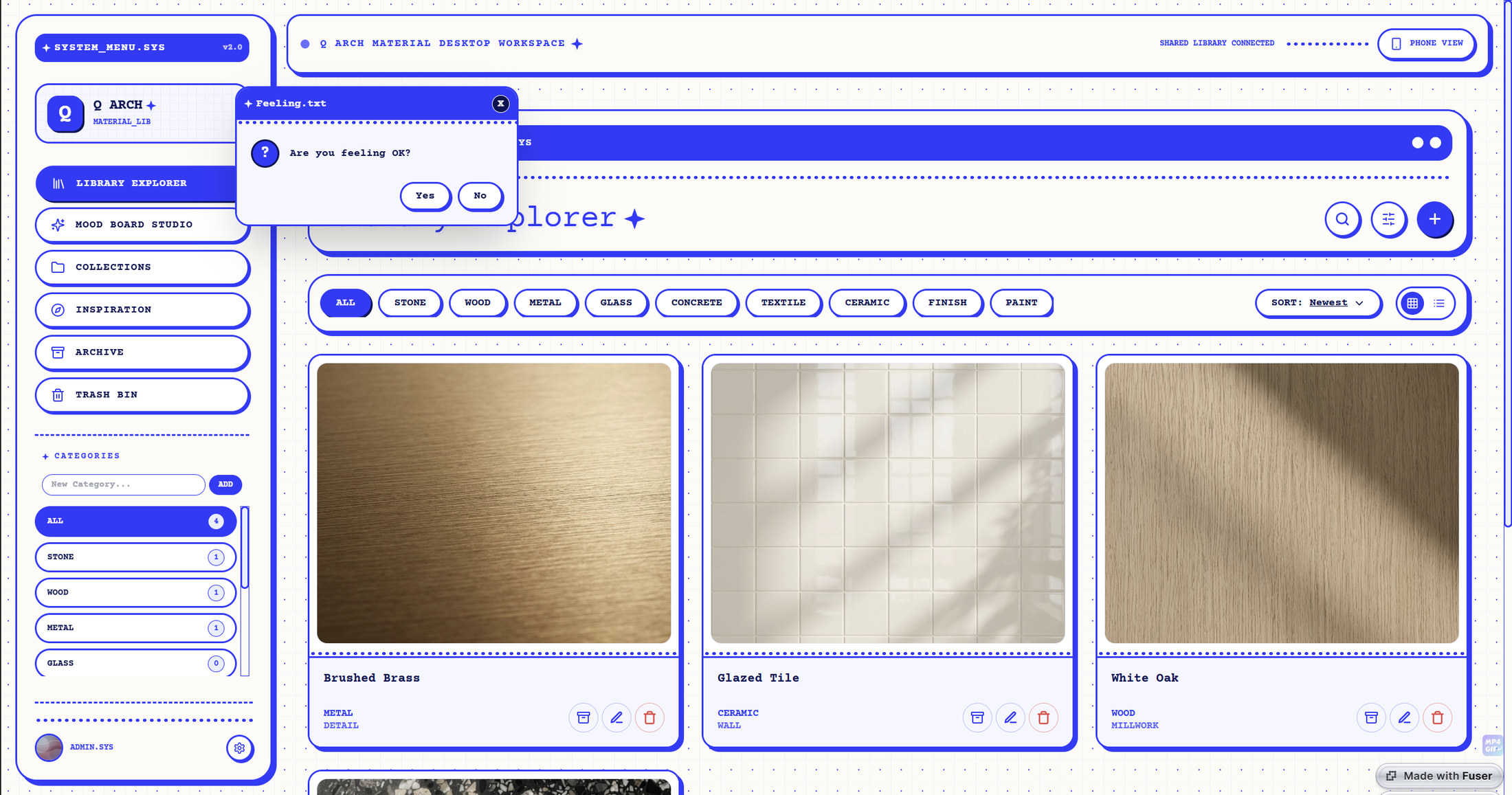
[ Library Explorer — the catalogue across nine categories, with live counts, search, sort and grid or list display ]
The library is organised by material family — stone, wood, metal, glass, concrete, textile, ceramic, finish, paint — and the categories themselves are editable, so the studio can add its own and watch the counts update. Every card carries its own actions: open the detail, drop it onto a mood board, archive it, edit it, delete it.
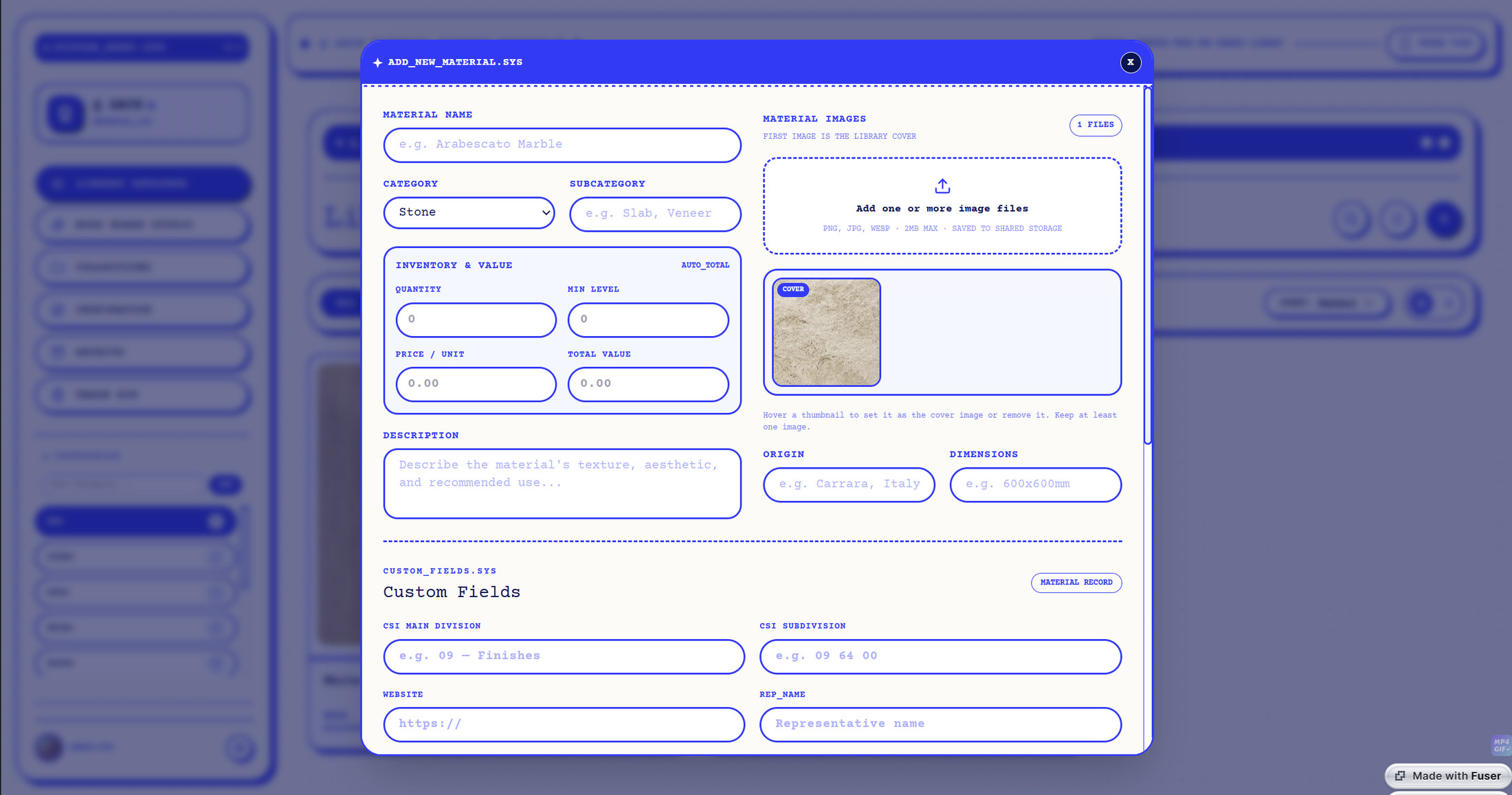
[ Adding a material — images, inventory and value, origin and dimensions, plus custom fields for CSI division, supplier and rep ]
What makes it a library rather than an album is the record behind each swatch. A material carries up to five images, a category and subcategory, a description of texture and finish, its origin and dimensions, and an inventory block — quantity in stock, minimum level, price per unit and total value. Custom fields hold the things a spec actually needs: CSI MasterFormat division and subdivision, the supplier’s website, the rep’s name.
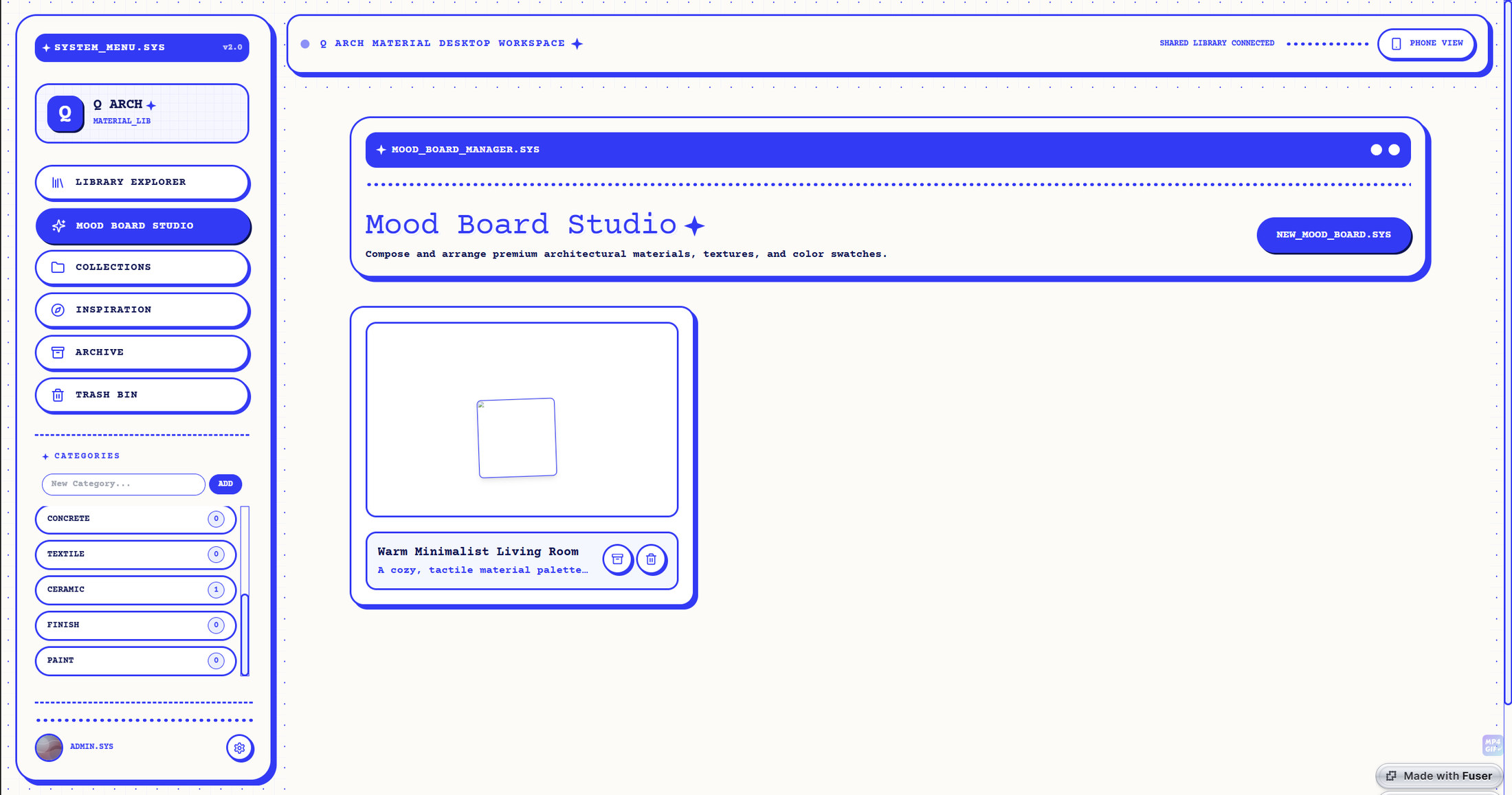
[ Mood Board Studio — named boards with their own descriptions ]
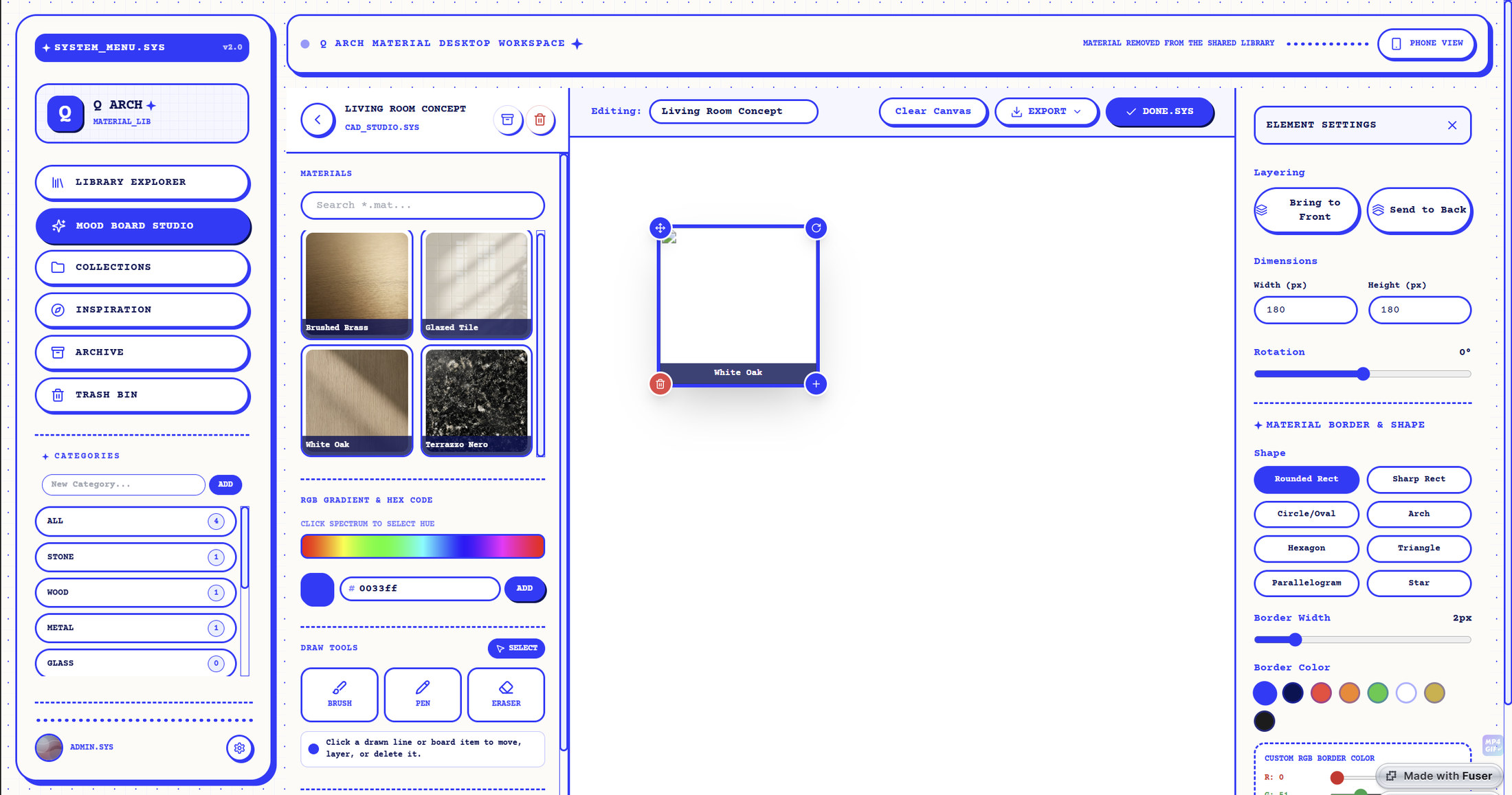
[ Board canvas — the material palette, and element settings on the right ]
Mood Board Studio is a real canvas, not a grid of thumbnails. Materials are dragged in from a palette of the library, then sized, rotated and layered; each one can be masked to a shape — rounded rectangle, circle, arch, hexagon, triangle, parallelogram, star — and given a border weight and colour. Brush, fill and eraser tools with a full colour picker sit alongside, so a board can carry drawn notes and colour blocks as well as samples.
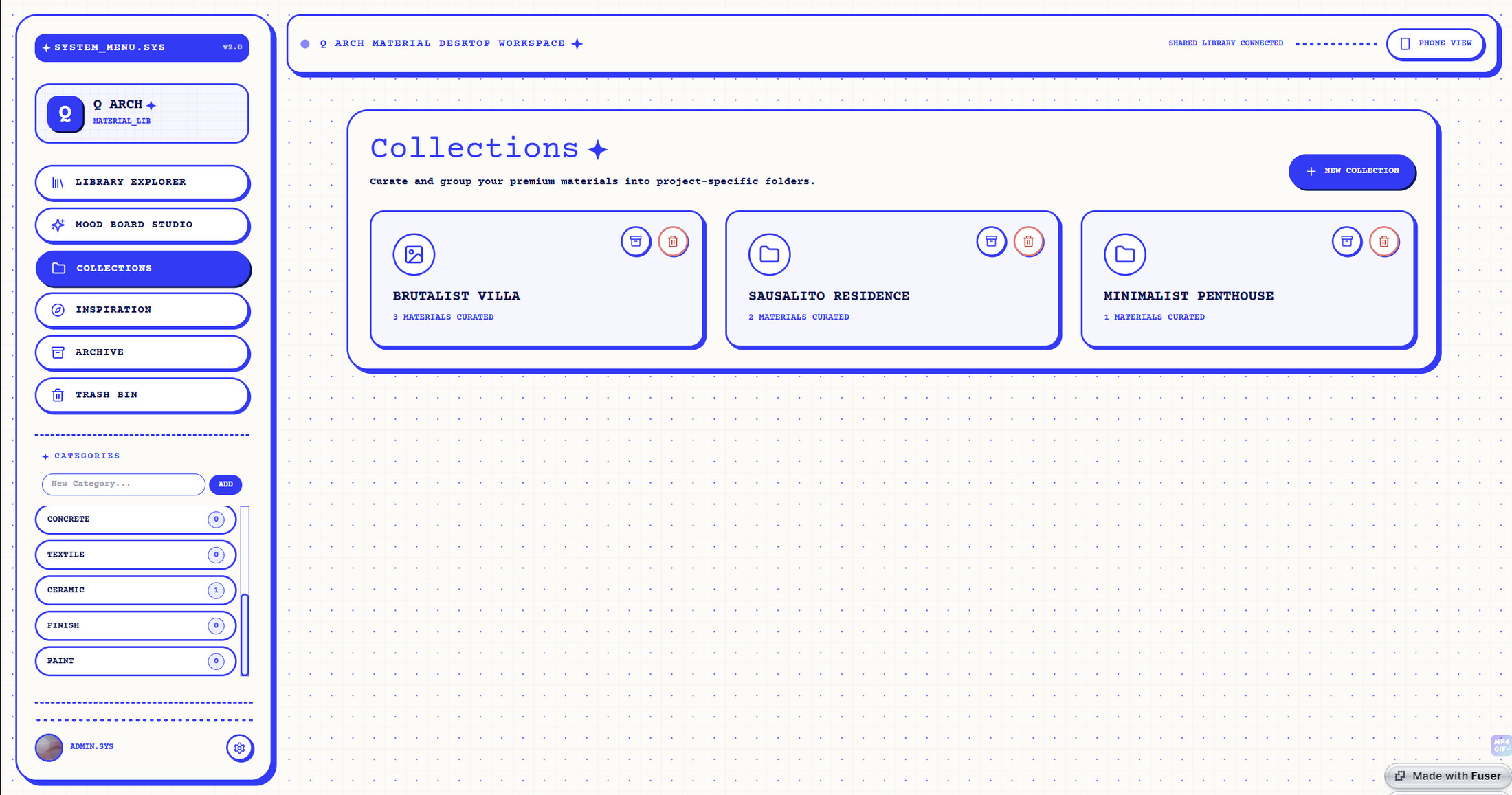
[ Collections — project folders with their own material counts ]
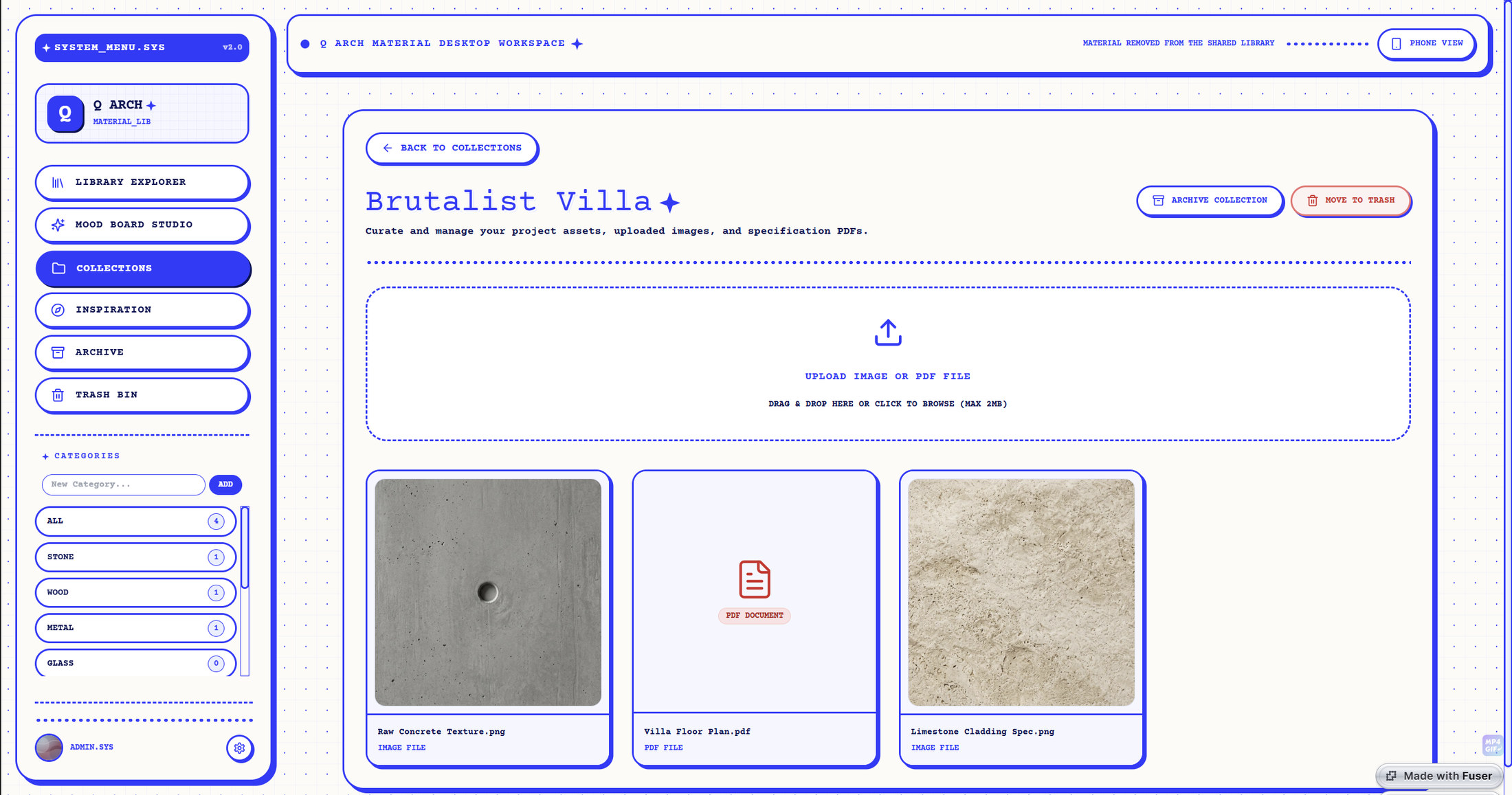
[ Inside a collection — materials alongside uploaded textures, spec sheets and PDFs ]
Collections group the library by project rather than by material family. A collection holds its curated materials and also takes uploads directly — a raw concrete texture, a floor plan PDF, a limestone cladding spec sheet — so everything a project needs to specify a surface sits in one folder.
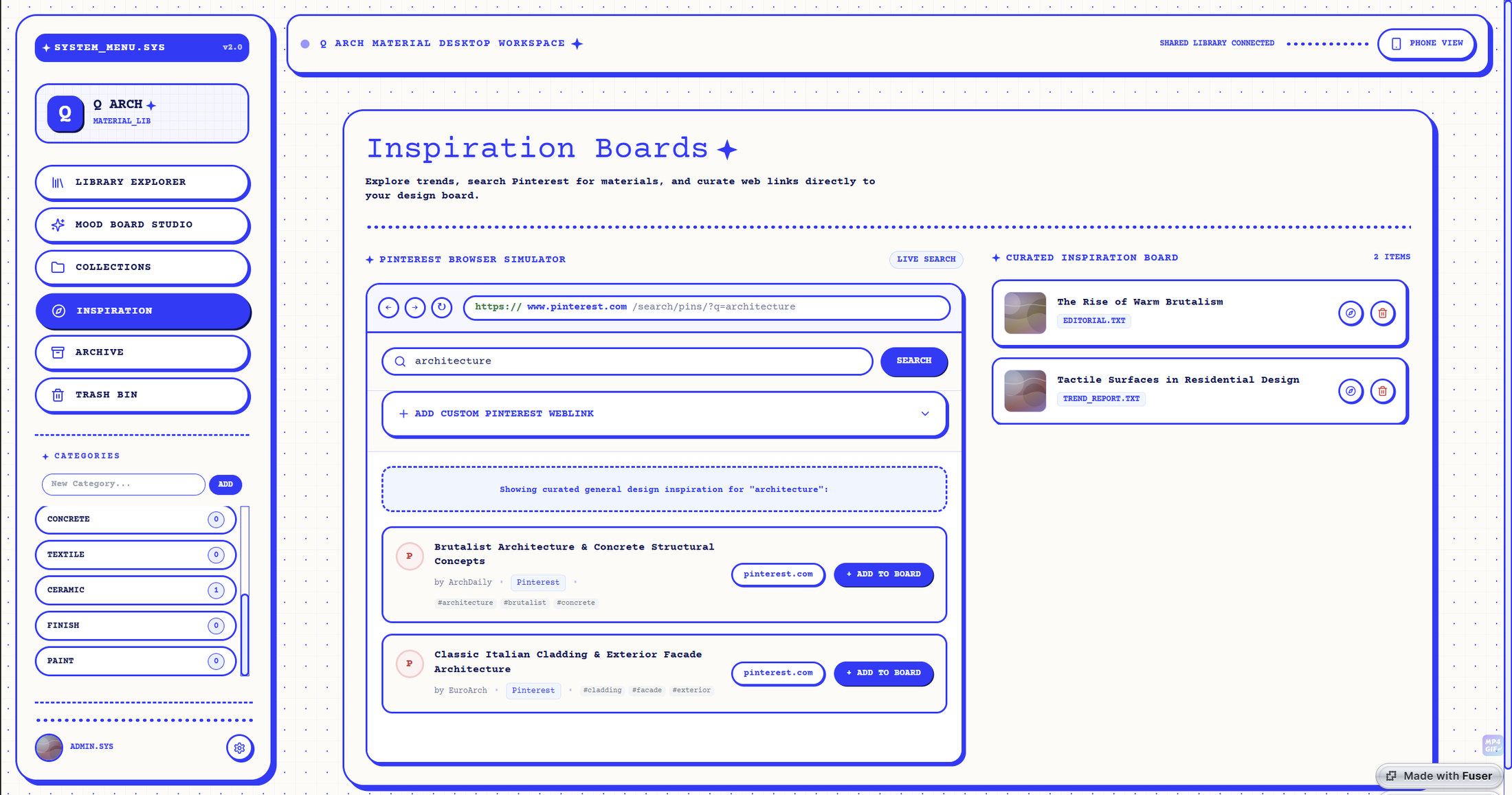
[ Inspiration — a Pinterest browser simulator with a working address bar, feeding a curated board ]
Inspiration is the panel that gives the tool its character. Rather than sending people out to a browser and back, it embeds one: a simulated Pinterest window with an address bar, back and forward, and a live search that returns results you can add straight to a curated board. Custom weblinks go on the same board, next to editorial and trend reports.
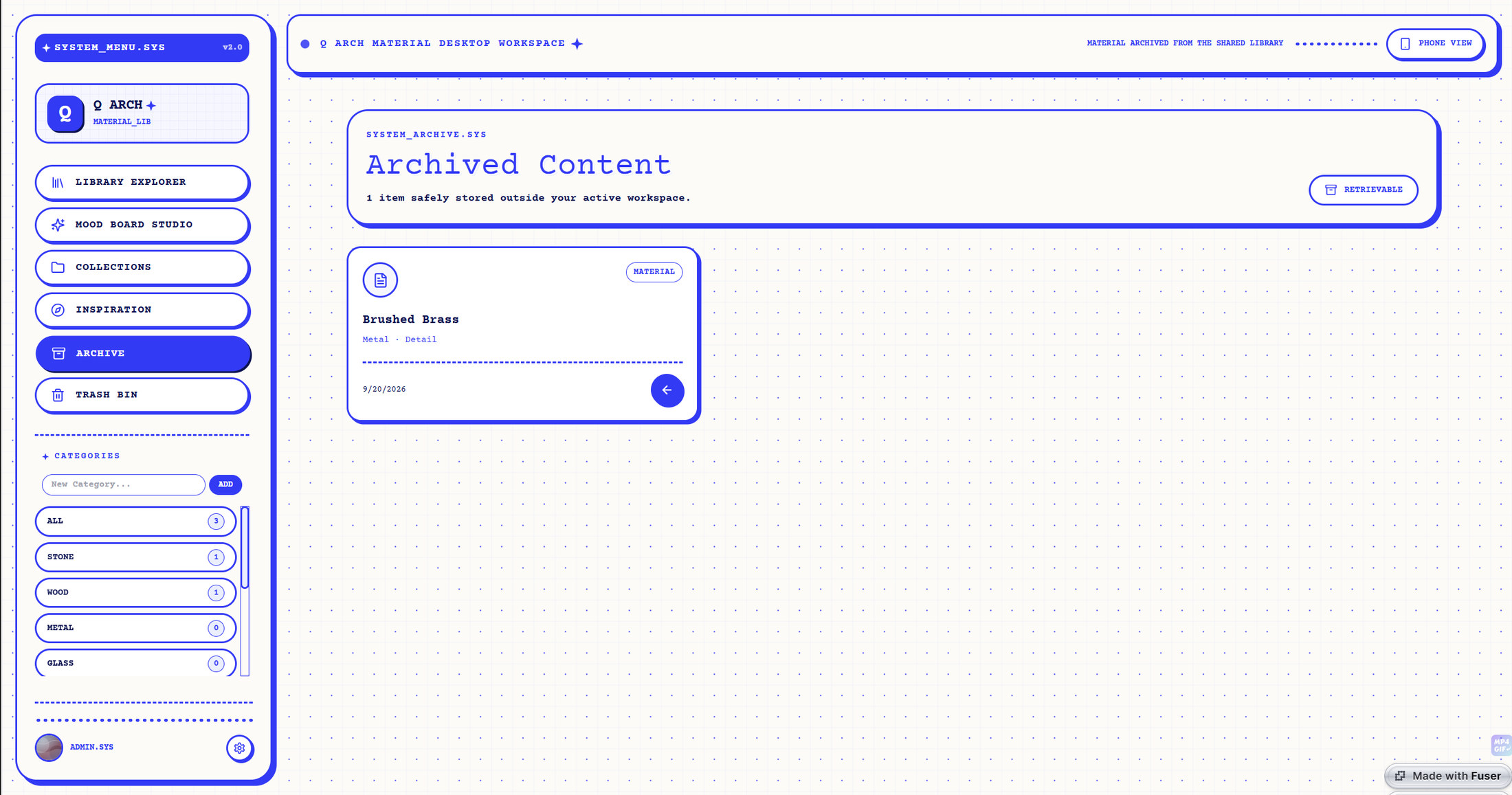
[ Archive — soft-filing, to keep the active workspace focused ]
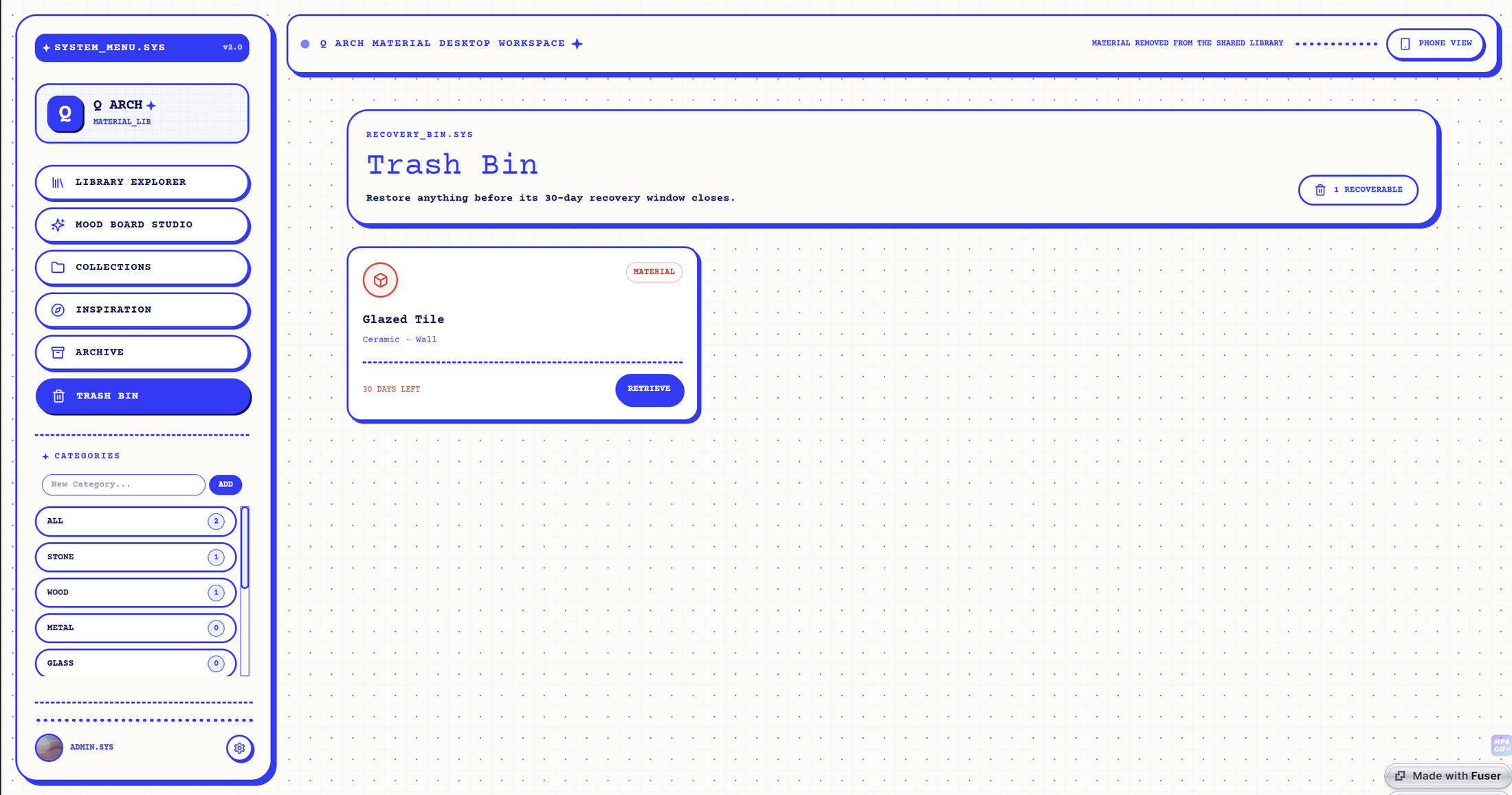
[ Trash — deletions recoverable for 30 days ]
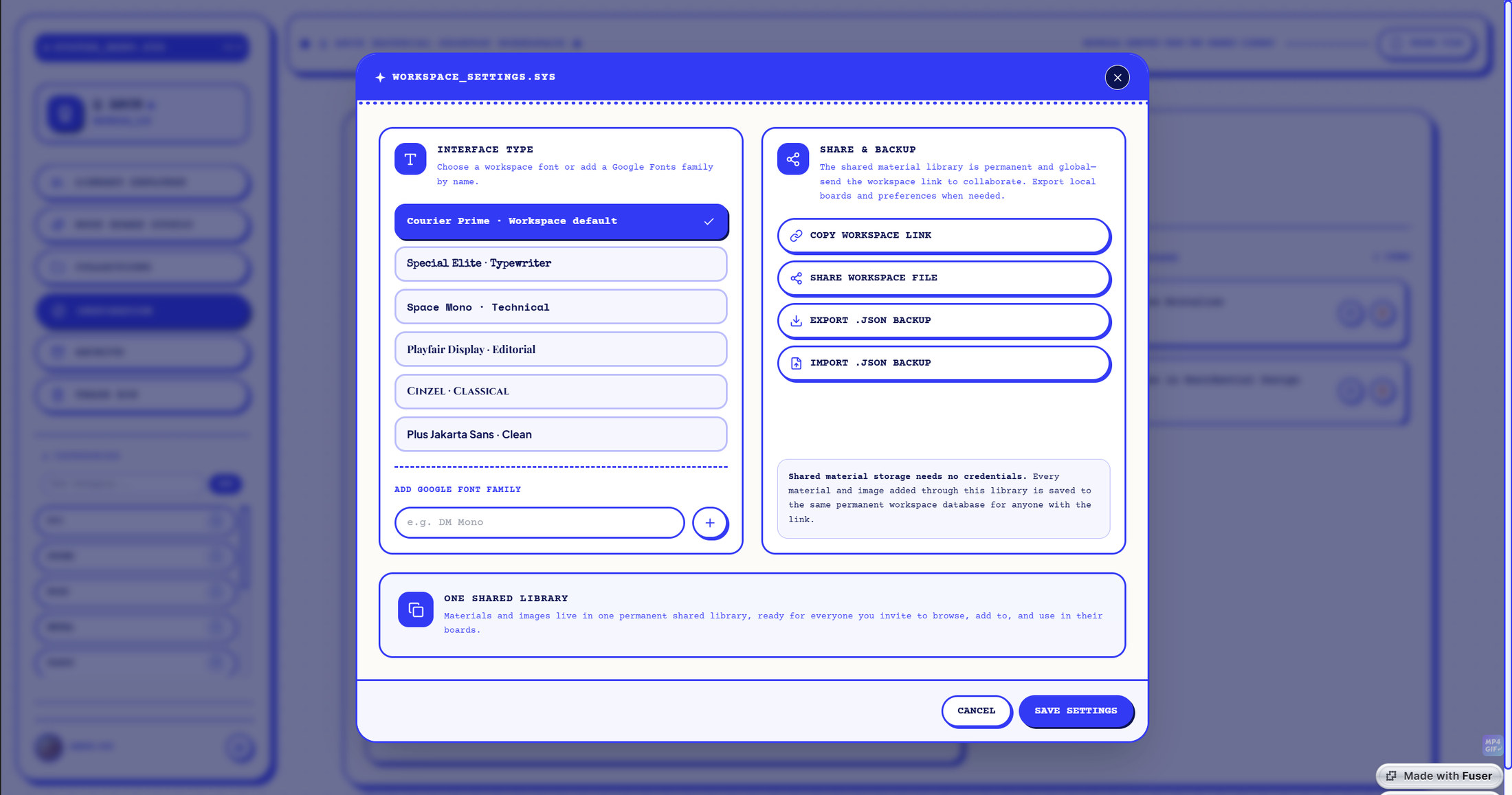
[ Workspace settings — interface typeface, shared link, and JSON export and import of the whole library ]
Nothing is destroyed by accident: archiving files a material, board or collection out of the way, and deleting holds it for thirty days before it goes. The workspace itself is configurable — the interface typeface can be switched between six faces or a custom one, the library can be shared by link or file, and the whole thing exports and re-imports as JSON, so the studio’s material knowledge is portable rather than locked in.